
Smart Node - Home Automation - Google Play
You'll be able to see results in few seconds.
Publisher Description


Transform your home. Effortlessly control lights, fans, and ACs with Smart Node.
Introducing SmartNode, an application that lets you turn off every Light/Fan in your home, dim each light, schedule the lights, Lock the appliances and monitor power usage for each outlet from your mobile phone.
SmartNode is a smart Wi-Fi-enabled device that lets you control your lights and electronic devices from your smartphone, anywhere, anytime.
The SmartNode App communicates via W-Fi or 3G/4G to keep you connected while at home, at the office, or anywhere in the world.
You can create Groups like Home, Office, Bedroom, Main-hall, and many others with SmartNode. Add most used switches into one group and you can control all of them on a single dashboard.
We also have series of Touch-enabled switches in different designs.
Our products help you to simplify and speed up certain activities of your life. It is a significant step in making a home, a truly smart home.
Go ahead, purchase our hardware and download the free mobile app and take the control of your whole house in your hands.
About Smart Node - Home Automation
The company that develops Smart Node - Home Automation is Smart Node Automation. The latest version released by its developer is 1.0.
To install Smart Node - Home Automation on your Android device, just click the green Continue To App button above to start the installation process. The app is listed on our website since 2026-11-04 and was downloaded 0 times. We have already checked if the download link is safe, however for your own protection we recommend that you scan the downloaded app with your antivirus. Your antivirus may detect the Smart Node - Home Automation as malware if the download link to com.vdt.smartnode is broken.
How to install Smart Node - Home Automation on your Android device:
- Click on the Continue To App button on our website. This will redirect you to Google Play.
- Once the Smart Node - Home Automation is shown in the Google Play listing of your Android device, you can start its download and installation. Tap on the Install button located below the search bar and to the right of the app icon.
- A pop-up window with the permissions required by Smart Node - Home Automation will be shown. Click on Accept to continue the process.
- Smart Node - Home Automation will be downloaded onto your device, displaying a progress. Once the download completes, the installation will start and you'll get a notification after the installation is finished.
Program Details
System requirements
Download information
Pricing
Version History
version
posted on 2026-11-04
Introducing SmartNode Companion: your new assistant for instant answers on products and app related queries.
version
posted on 2026-10-14
Performance enhancement and stability improvements.
version
posted on 2026-06-29
Expanded Scene Sequencing: We have significantly upgraded scene automation. Previously, users were limited to adding only remotes to a scene sequence. You can now add, sequence, and configure delays for all supported smart node devices, including lighting, tunable switches, curtains, and door locks.
version
posted on 2026-04-23
Streamlining performance and resolving minor issues.
version
posted on 2026-01-16
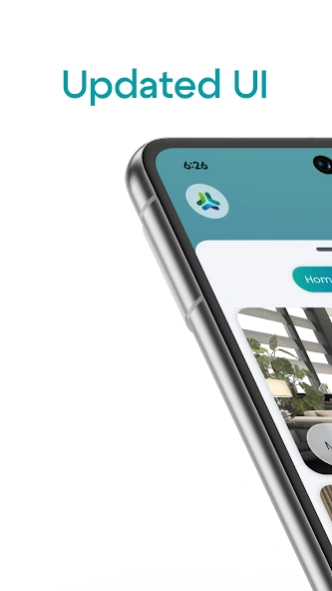
We've given Smart Node a complete makeover!
🎨 Brand new design – cleaner, faster, more intuitive
✨ Smoother interactions and improved reliability
🔐 NEW: Bolt series support
🚀 Enhanced performance for a faster experience
🔧 Bug fixes and stability improvements
version
posted on 2025-09-17
- Bug fixes and enhancements.
version 6.0.39
posted on 2025-08-23
Bug fixes and performance improvements.
version 6.0.38
posted on 2025-07-18
• Scene Controller Enhancements: Now supporting "On Tap" and "On Release" actions.
• Smarter Curtain Control: New Auto On/Off, Dead Time, and Motor Speed Regulation.
• Improved User Customisation: Mute Device Buzzer and configure Touch Indications.
• Seamless AC Integration: AC State Sync with your HomeLink device.
• Enhanced DALI Management: Display DALI scenes linked to Global scenes, plus a redesigned DALI configuration screen also added rename directly in DALI configuration page.
version 6.0.37
posted on 2025-03-06
- Mid-graph point configuration
- Flexible switch-on dimmer values
- Easy device replacement functionality
- Touch and buzzer configuration mechanisms
- Comprehensive auto-control features (on/off, delay management)
- DALI scene RGB support
- Global scene DALI switches support
- Performance & Stability Improvements
version 6.0.36
posted on 2025-01-03
Optimised performance and reliability
Disclaimer
Official Google Play Link
We do not host Smart Node - Home Automation on our servers. We did not scan it for viruses, adware, spyware or other type of malware. This app is hosted by Google and passed their terms and conditions to be listed there. We recommend caution when installing it.
The Google Play link for Smart Node - Home Automation is provided to you by apps112.com without any warranties, representations or guarantees of any kind, so access it at your own risk.
If you have questions regarding this particular app contact the publisher directly. For questions about the functionalities of apps112.com contact us.
